애니빌드.LAB
토론방
디자인팜2.0 디자인팜2.0 스킨에서 서브스킨 사이즈 수동으로 늘릴때...
- 관**자
- 2017-11-13 02:08:17
- hit3233
- http://lab.anybuild.co.kr/bbs/qna/6781
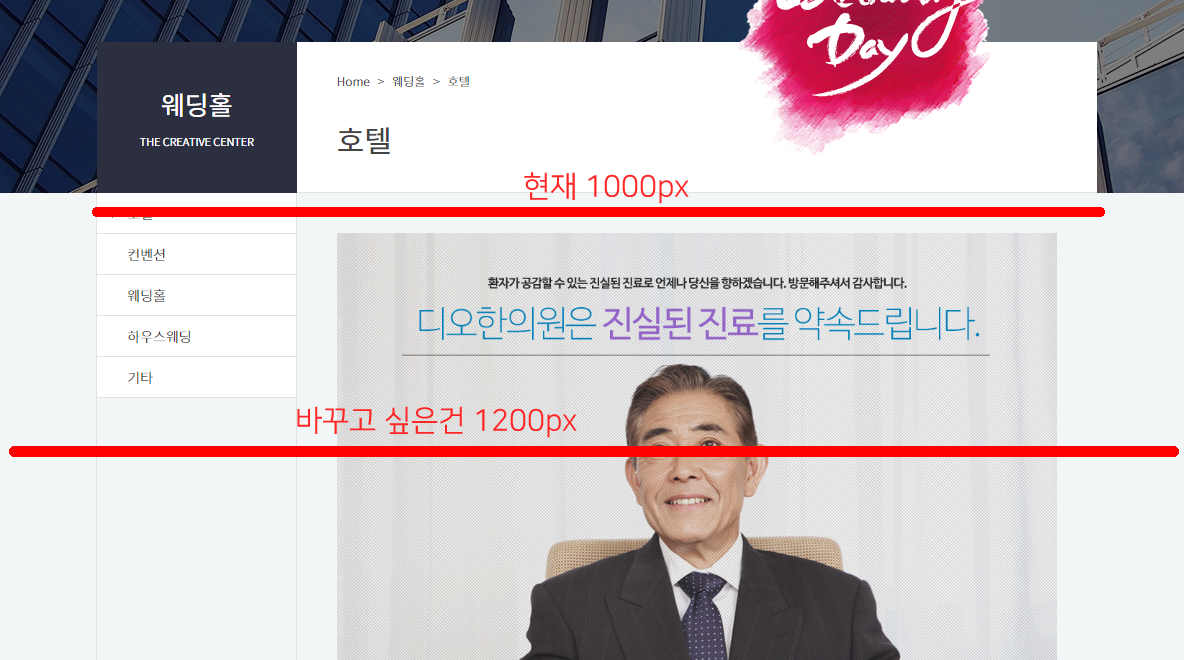
서브 스킨은 수동모드로 css를 수정할려고 하는데. 몇가지 값을 수정해도 잘 안되서요. 글남깁니다.
게시글 공유
URL복사
댓글작성
열기 닫기
열기 닫기
1
[스킨 관리 > PC 서브 스킨 > CSS소스] 에서 pc_skin_838_336.css 를 선택해주세요.
2.
소스에서 다음항목을 찾아서 수정해주세요.
/* PC viewport - Mobile content display none */
#header .logo button,
.shgroup > a{display:none;}
/* PC display:block */
.gnb_p, .lnb_p, #header .header_form{display: block;}
/* PC 화면 넓이값을 가진 센터유지 */
#header > .inner, #lnb_p, .gnb_p > .inner, .sub_location, #footer .fnb, #footer .finfo, .shgroup, #sub_view .contents_wrap #cont_wrap{margin:0 auto;max-width:1000px;}
/* mypage 서브 네비게이션 넓이값 */
#sub_view #container .contents_wrap .snb_wrap{max-width:calc(1000px - 800px - 1px);}
#container .contents_wrap #contents{min-height:500px;}
#sub_view #container .contents_wrap #contents{padding-top:0;}
- 해당값을 수정하면 1000px 로 설정되어있는 항목들이 전부 1200px 로 변경됩니다.
- 상단, 하단을 제외하고 변경하시려면 다음과 같이 수정해주세요.
/* PC 화면 넓이값을 가진 센터유지 */
#header > .inner, #lnb_p, .gnb_p > .inner, .sub_location, #footer .fnb, #footer .finfo {margin:0 auto;max-width:1000px;}
.shgroup, #sub_view .contents_wrap #cont_wrap{margin:0 auto;max-width:1200px;}